
How to Check If the FOM Value of Your Night Vision Goggles Is Real
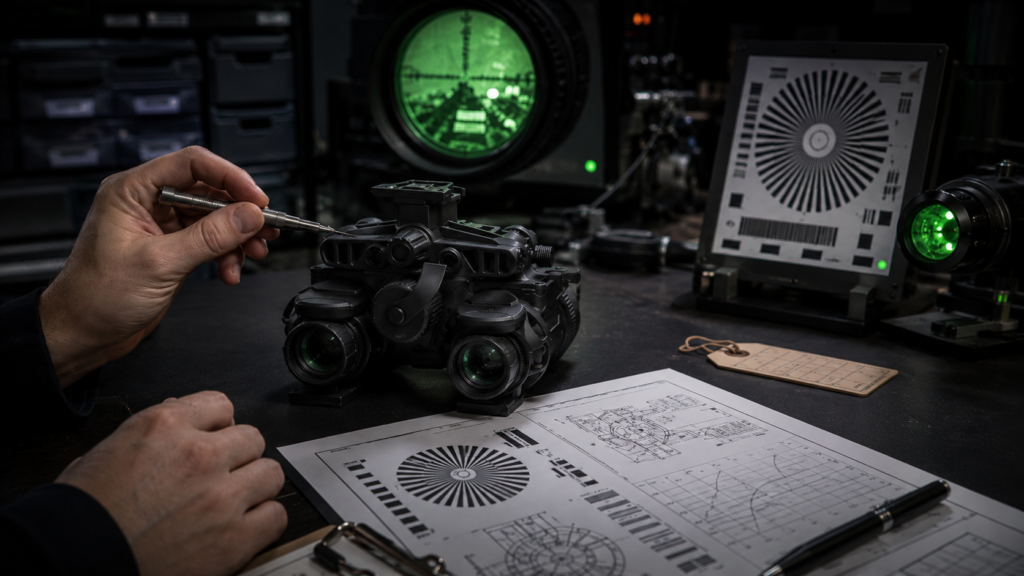
1. Start with the Online Spec Sheet
Before you check the physical device, first ask the supplier for the image intensifier tube spec sheet.
A real FOM value should not be only a single number on a product page. It should be supported by tube data.
A useful spec sheet should usually include:
What to Check | Why It Matters |
Tube serial number | Shows which tube the report belongs to |
SNR | One of the key numbers used to calculate FOM |
Center resolution | Usually shown as lp/mm |
FOM | Should match SNR × resolution |
EBI | Helps show low-light background performance |
Halo | Helps show light bloom around bright points |
Gain | Shows how much the tube amplifies light |
Test date or batch info | Helps track the tube data |
FOM is normally calculated by multiplying SNR × center resolution. For example, if a tube has SNR 25 and center resolution 64 lp/mm, the FOM is 1,600. This calculation method is commonly used in night vision specification guides.
So, if a seller only says “high FOM” but cannot show SNR and resolution, the number is hard to check.
2. Recalculate the FOM Number Yourself
After you receive the spec sheet, do not only look at the FOM number. Check whether the number makes sense.
Use this simple formula:
FOM = SNR × Center Resolution
Here are some examples:
SNR | Center Resolution | Calculated FOM | Result |
25 | 64 lp/mm | 1,600 | Reasonable |
28 | 64 lp/mm | 1,792 | Close to FOM 1,800 |
30 | 72 lp/mm | 2,160 | Close to FOM 2,200 |
32 | 72 lp/mm | 2,304 | High-performance level |
Now compare this with what the seller claims.
For example:
Seller Claims | Spec Sheet Shows | Real Calculation | Buyer Should Think |
FOM 2,000 | SNR 25 × 64 lp/mm | 1,600 | Not matching |
FOM 1,800 | SNR 28 × 64 lp/mm | 1,792 | Reasonable |
FOM 2,200 | SNR 30 × 72 lp/mm | 2,160 | Close |
FOM 2,400 | No SNR, no resolution | Cannot check | Ask for full data |
A small difference may happen because of rounding. But if the claimed FOM is much higher than the calculated number, buyers should ask the supplier to explain.
3. Check If the Report Looks Fake or Reused
A spec sheet is useful, but buyers should also check whether the report looks reliable.
Some reports may look professional, but they may not match the actual tube. This is why buyers should check the details carefully.
Here are some red flags:
Red Flag | Possible Problem |
No tube serial number | The report may not belong to the real tube |
Blurry photo of the report | Key data may be hidden |
Only FOM is shown | SNR and resolution cannot be checked |
FOM does not match SNR × resolution | The value may be wrong or overstated |
Same report used for many devices | The report may be reused |
Left and right tubes share one number | Not enough data for binocular goggles |
Seller refuses to provide full report | Higher risk for buyers |
For binocular night vision goggles, such as PVS-31, buyers should be more careful. A binocular device has two tubes. The left tube and right tube may have different SNR, resolution, EBI, halo, and FOM values.
So the buyer should ask:
Can you show the left tube data and right tube data separately?
If the seller only gives one general FOM number for the whole device, it is not enough for serious B2B buying.
4. Match the Spec Sheet with the Physical Device
After you receive the night vision goggles, check whether the spec sheet really belongs to the device.
This step is very important.
Check these points:
Physical Check | What to Compare |
Tube serial number | Must match the spec sheet |
Device label | Should match the product model or QC card |
Package information | Should not conflict with the report |
Left tube and right tube | Should match their own data |
Phosphor type | White phosphor or green phosphor should match the order |
FOM range | Should match the confirmed purchase grade |
For example, if you ordered a PVS-31 with two tubes around FOM 1,800, the supplier should be able to show the data for both tubes.
A simple format may look like this:
Tube Position | Serial Number | SNR | Resolution | FOM |
Left Tube | — | 28 | 64 lp/mm | 1,792 |
Right Tube | — | 27.8 | 64 lp/mm | 1,779 |
If the serial numbers on the report and the device do not match, the buyer should ask for a clear explanation.
5. Do a Basic Visual Check, But Do Not Treat It as a FOM Test
Many buyers try to judge FOM by looking through the night vision goggles.
This is useful, but it has limits.
You can use your eyes to find obvious problems, but you cannot accurately measure FOM only by looking through the device.
When checking the image, look for these points:
What to Check | What It May Show |
Image noise | Lower SNR may show more noise in dark scenes |
Sharpness | Helps roughly judge clarity |
Black spots | Shows tube blemishes or defects |
Halo around lights | Helps check bright-point performance |
Edge clarity | Shows optical and tube image quality |
Brightness uniformity | Shows whether the image is even |
Left-right difference | Important for binocular devices |
However, visual checks cannot prove that a device is exactly FOM 1,800, 2,000, or 2,200.
A phone video is also not enough. Phone cameras change exposure, brightness, color, and contrast automatically. So a good-looking video does not prove the real FOM value.
Use visual checks to find problems, not to replace real testing.
6. Use a Resolution Chart for a Simple Offline Check
A resolution chart can help buyers do a simple image clarity check.
For example, buyers can use a line-pair chart or a USAF-style resolution chart to compare sharpness. This can help show whether the device looks close to the claimed resolution level.
But it still cannot fully verify FOM.
Why?
Because FOM is not only about resolution. It also depends on SNR.
A tube with high resolution but lower SNR may still look noisy in very dark conditions. A tube with a balanced SNR and resolution may give a more comfortable image.
Some night vision buyer guides also remind users that different specs affect the final image in different ways, so buyers should not only focus on one number.
A simple resolution check can include:
Step | How to Do It |
1 | Place the chart at a fixed distance |
2 | Use the same light condition each time |
3 | Focus the goggles carefully |
4 | Check the center image first |
5 | Compare left and right tubes separately |
6 | Take notes or photos only as reference |
This test is useful for comparison, but it is not a full FOM test.
7. Use Professional Test Equipment for Accurate Verification
If buyers need accurate FOM verification, professional test equipment is required.
This is especially important for:
Buyer Type | Why Testing Matters |
Wholesalers | To avoid batch quality problems |
Distributors | To protect their own brand reputation |
Night vision brands | To match product grades correctly |
Procurement teams | To confirm product value before repeat orders |
Repair or assembly companies | To check tubes before installation |
Professional night vision test systems can test items such as image quality, resolution, gain, EBI, and other tube performance data. Hoffman Engineering, for example, describes image tube test systems and photometric test systems for checking image intensifier tube performance.
For large orders, buyers can ask the supplier:
Question | Why Ask It |
Can you provide tube spec sheets before shipment? | To check data before delivery |
Can you match tube serial numbers with reports? | To avoid report mismatch |
Can you support sample inspection? | To reduce purchase risk |
Can you provide left and right tube data for binocular goggles? | To check tube matching |
Can you support third-party testing if needed? | To increase trust |
Can you provide different FOM ranges? | To match different market levels |
Professional testing is the best way to confirm the true FOM value. For normal buyers, spec sheet checking and serial number matching are the most practical first steps.
8. Simple Buyer Checklist
Before placing an order or accepting delivery, buyers can use this checklist:
Step | What to Check | Pass or Not |
1 | Ask for the tube spec sheet | Pass / Not pass |
2 | Check SNR and resolution | Pass / Not pass |
3 | Recalculate FOM | Pass / Not pass |
4 | Check tube serial number | Pass / Not pass |
5 | Match report with physical tube/device | Pass / Not pass |
6 | Check left and right tube data for binocular goggles | Pass / Not pass |
7 | Inspect image quality | Pass / Not pass |
8 | Use a resolution chart for simple clarity check | Pass / Not pass |
9 | Use professional equipment for accurate verification | Pass / Not pass |
If several items fail, the buyer should not ignore them. Ask the supplier for more details before making a larger order.
9. Red Flags of Fake or Unreliable FOM Claims
Here are the most common warning signs:
Red Flag | What It Means |
“FOM 2000+” with no report | The claim cannot be checked |
No SNR or resolution | FOM cannot be recalculated |
No tube serial number | The report may not match the tube |
Same FOM for every unit | Real tubes usually have small differences |
Report photo is unclear | Important data may be hidden |
Left and right tubes are not listed separately | Not enough proof for binocular goggles |
Seller only provides phone videos | Videos cannot prove FOM |
Seller avoids technical questions | Higher purchase risk |
FOM calculation does not match | The value may be wrong |
A reliable supplier should be willing to explain the data clearly. If the supplier cannot explain where the FOM number comes from, buyers should be careful.
10. What Buyers Should Remember
Checking FOM is not difficult, but buyers should follow the right order.
Do not start with a phone video.
Do not trust only a product page.
Do not only look at one big FOM number.
A better process is:
- Check the spec sheet first.
- Recalculate FOM from SNR and resolution.
- Check whether the report looks complete and logical.
- Match the tube serial number with the real device.
- Inspect the image quality after receiving the product.
- Use professional test equipment if accurate verification is needed.
For B2B buyers, this process can reduce risk before bulk orders.
Conclusion
A real FOM value should be supported by real tube data. Buyers should check the spec sheet, confirm SNR and resolution, recalculate the FOM, match the tube serial number, and inspect the actual device.
Visual checking is useful, but it cannot replace professional testing. If the order is large or the product grade is high, professional test equipment or third-party inspection is the safest way to verify the real performance.
For distributors, wholesalers, and night vision device brands, choosing a supplier that can explain tube grades clearly is very important.
At QCNV, we can support PVS-31 binocular night vision goggles, PVS-14 night vision monoculars, and GEN2+ / GEN3 image intensifier tubes with different FOM ranges for bulk purchase and product customization.
If you are sourcing night vision products, you can send us your target FOM range, phosphor type, product model, and order quantity. Our team can help you choose a suitable configuration for your market.
FAQ
Can I check the exact FOM value at home?
Not exactly. You can check the report, serial number, image quality, and resolution trend. But accurate FOM testing needs measured SNR and resolution under controlled conditions.
Can a phone video prove the FOM value?
No. A phone video can only show a rough image effect. Phone cameras change exposure and brightness automatically, so the video cannot prove the real FOM value.
What should I ask the supplier before buying?
Ask for the tube spec sheet, SNR, center resolution, FOM, tube serial number, phosphor type, and left/right tube data if you are buying binocular night vision goggles.
Is higher FOM always better?
Higher FOM is usually a good sign, but it is not the only thing to check. Buyers should also look at SNR, resolution, EBI, halo, gain, tube defects, and image uniformity.
Why do two tubes with the same FOM look different?
Because FOM is only one number. Two tubes may have the same FOM but different SNR, resolution, EBI, halo, gain, and image cleanliness.
What is the safest way to verify FOM for bulk orders?
For bulk orders, buyers should check spec sheets, match serial numbers, inspect samples, and use professional test equipment or third-party testing when needed.